How to Write a Follow-Up Email (With Templates)
When to follow up, what to say, and copy-ready follow-up email templates for interviews, unanswered emails, meetings and invoices. Plus how to write one with AI.
· 5 min read
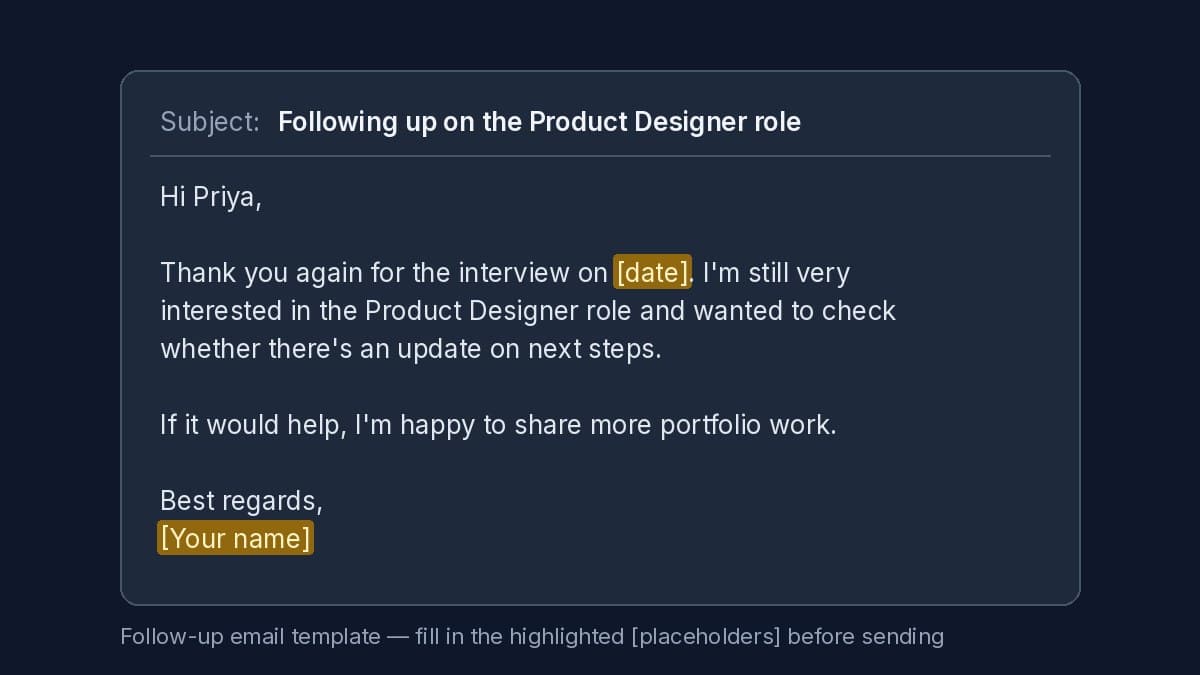
Real output from Email Writer.
Most emails that go unanswered aren't rejections. The reader was busy, the message slipped down the inbox, or it wasn't clear what they were supposed to do next. A short, polite follow-up fixes all three.
This guide covers when to send one, what it should contain, and four templates you can copy. Every bracket like [date] is a detail only you know, so fill it in before you hit send.
When to follow up
- Unanswered email: wait 3–5 working days, then send one follow-up. If there's still no reply, one more a week later is usually the limit.
- After an interview: a thank-you within 24 hours, then a follow-up after the date they said they'd decide (or about a week if they gave none).
- After a meeting: the same day or the next morning, while the decisions are fresh.
- Unpaid invoice: on the due date or a few days after, then on a fixed schedule.
What a good follow-up contains
- Context in one line. Remind them what this is about ("my email on [date] about the Q3 report").
- The reason you're writing now. A decision is pending, a deadline is coming, you have something new.
- One easy next step. A yes/no question, two time options, or "reply with the PO number". Make it effortless.
- Brevity. Three to five sentences. Skip "just circling back" and "I hope this email finds you well".
Use a subject line that keeps the thread (reply to your original email) or names the topic plainly: "Following up: Q3 report review".
Template 1: After an interview
Subject: Following up on the [role] position
Hi [interviewer's name],
Thank you again for speaking with me on [date] about the [role] role. I'm still very interested and wanted to ask whether there's an update on next steps.
Happy to share anything else that would help.
Best regards, [Your name]
Template 2: No reply to your email
Subject: Re: [original subject]
Hi [name],
I wanted to bring this back to the top of your inbox. Could you let me know by [date] whether [the decision or answer you need]? If someone else handles this, I'd appreciate a pointer.
Thanks, [Your name]
Template 3: After a meeting
Subject: Next steps from [meeting name]
Hi all,
Thanks for the time today. Here's what we agreed:
- [decision or action 1] — [owner], by [date]
- [decision or action 2] — [owner], by [date]
Let me know if I missed anything.
[Your name]
Template 4: Unpaid invoice
Subject: Invoice [number] — payment reminder
Hi [name],
A quick reminder that invoice [number] for [amount] was due on [date]. Could you let me know when we can expect payment? I've attached a copy in case it's useful.
Thank you, [Your name]
Write a follow-up with AI (without made-up details)
Templates are a start, but every situation is a little different. The free AI Email Writer writes the whole email from your notes: choose Follow-up, say who it's to and what you're following up on, and add any key points as bullets. You get a send-ready email with a subject line and a few alternative subject ideas.
It only uses facts you give it. If the email needs something you didn't mention, such as the interview date, it leaves a highlighted placeholder like [date] and lists it under "Fill in before sending", rather than guessing.
Already wrote a follow-up that sounds too blunt or too long? Paste it into the Email Rewriter instead: it keeps your facts and fixes the tone, and the Follow up goal makes it a polite nudge with a clear next step.
Before you send
- Fill in or delete every [placeholder].
- Check names, dates and amounts against the original thread.
- Read it once out loud. If a sentence doesn't help the reader act, cut it.